
Onboard Phone Sensors
Collect movement data (IMU), location, nearby devices, steps, screen events, and many other measures
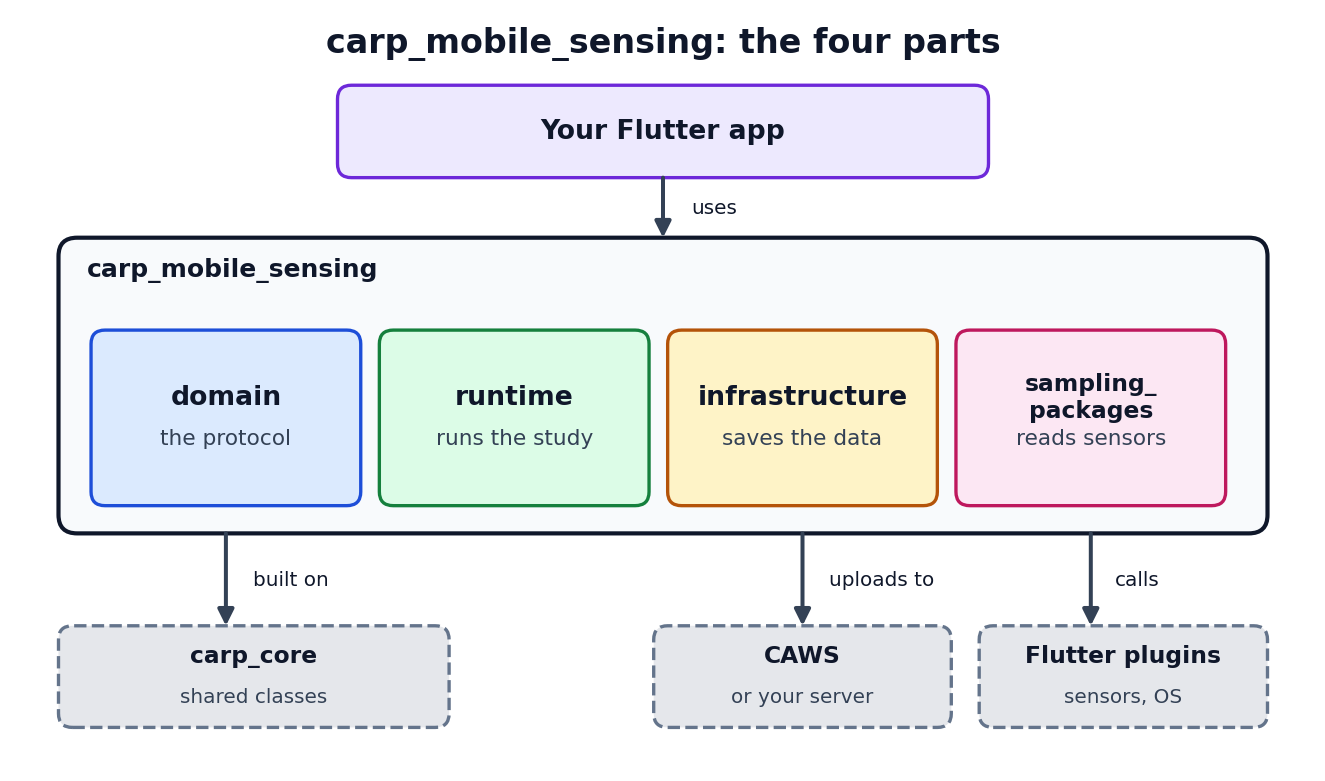
The CARP Mobile Sensing (CAMS) Flutter package carp_mobile_sensing is a framework for adding digital phenotyping capabilities to mobile health apps.
The overall goal of CAMS is to help developers build custom mobile sensing applications that can be adapted to very different health domains.
CAMS focuses on a flexible engineering architecture that supports:
Onboard Phone Sensors
Collect movement data (IMU), location, nearby devices, steps, screen events, and many other measures
Wearable Devices
Collect data from smartwatches (e.g. Apple Watch), heart rate monitors (e.g., Polar), ECG monitors, glucose monitors, iBeacons, and other devices.
User-generated Data
Collect surveys, questionnaires, ecological momentary assessments (EMAs), audio, video, and sound from participants
Cognitive Assessment
Choose from 14 predefined cognitive assessment tools like trail-making, reaction time, recall, flanker, and object tracking tests
The code listing below shows a simple Dart example of how to add sampling to a Flutter app. This basic example illustrates how sampling is configured, deployed, initialized, and used in three basic steps;
Define Study Protocol
Create a SmartphoneStudyProtocol which defines what measures to collect from different devices.
Create and Configure Runtime
Configure the SmartPhoneClientManager and add the study protocol to it.
Start Data Sampling
Access the collected stream of measurements and use them in the app and control the execution of the data sampling.
Below is a simple example of how to set up a protocol that samples step counts, ambient light, screen events, and battery events.
import 'package:carp_core/carp_core.dart' hide Smartphone;import 'package:carp_mobile_sensing/carp_mobile_sensing.dart';
// Create a protocol collecting steps, light, and screen and battery events// from the phone and store collected measurements in a local SQLite databasefinal phone = Smartphone();final protocol =    SmartphoneStudyProtocol(        ownerId: 'AB',        name: 'Tracking steps, light, screen, and battery',        dataEndPoint: SQLiteDataEndPoint(),      )      ..addPrimaryDevice(phone)      ..addTaskControl(        DelayedTrigger(delay: const Duration(seconds: 10)),        BackgroundTask(          measures: [            Measure(type: SensorSamplingPackage.STEP_EVENT),            Measure(type: SensorSamplingPackage.AMBIENT_LIGHT),            Measure(type: DeviceSamplingPackage.SCREEN_EVENT),            Measure(type: DeviceSamplingPackage.BATTERY_STATE),          ],        ),        phone,      );
// Create and configure a client manager for this phone.await SmartPhoneClientManager().configure();
// Create a study based on the protocol.var study = await SmartPhoneClientManager().addStudyFromProtocol(protocol);
// Deploy the study.await SmartPhoneClientManager().tryDeployment(  study.studyDeploymentId,  study.deviceRoleName,);
// Resume sampling.SmartPhoneClientManager().resume();
// Listening on the measurements stream.SmartPhoneClientManager().measurements.listen((measurement) {  // Do something with the measurement, e.g. print the json.  print(toJsonString(measurement));});
// Pause sampling.SmartPhoneClientManager().pause();
// Resume sampling again.SmartPhoneClientManager().resume();
// Dispose the client. Can not be used anymore.SmartPhoneClientManager().dispose();In the example above, the client manager is configured, the protocol is added, and sampling is started. This can actually be done in one line of code, like this:
SmartPhoneClientManager().configure().then( (_) => SmartPhoneClientManager() .addStudyFromProtocol( SmartphoneStudyProtocol.local( name: 'Tracking steps, light, screen, and battery', measures: [ Measure(type: SensorSamplingPackage.STEP_EVENT), Measure(type: SensorSamplingPackage.AMBIENT_LIGHT), Measure(type: DeviceSamplingPackage.SCREEN_EVENT), Measure(type: DeviceSamplingPackage.BATTERY_STATE), ], ), ) .then( (study) => SmartPhoneClientManager() .tryDeployment(study.studyDeploymentId, study.deviceRoleName) .then((_) => SmartPhoneClientManager().resume()), ),);