
Battery Optimization Permission
This page contain misc. platform-specific guidance and tips when running CAMS in production apps.
Starting from version 2.0, CAMS supports background sensing natively on Android using the flutter_background plugin. iOS does not allow apps to run in the background as such, but there are a few things you can do to optimize data sampling on iOS.
To keep the app running in the background, configure the SmartPhoneClientManager like this, specifying the title and text for the background notification:
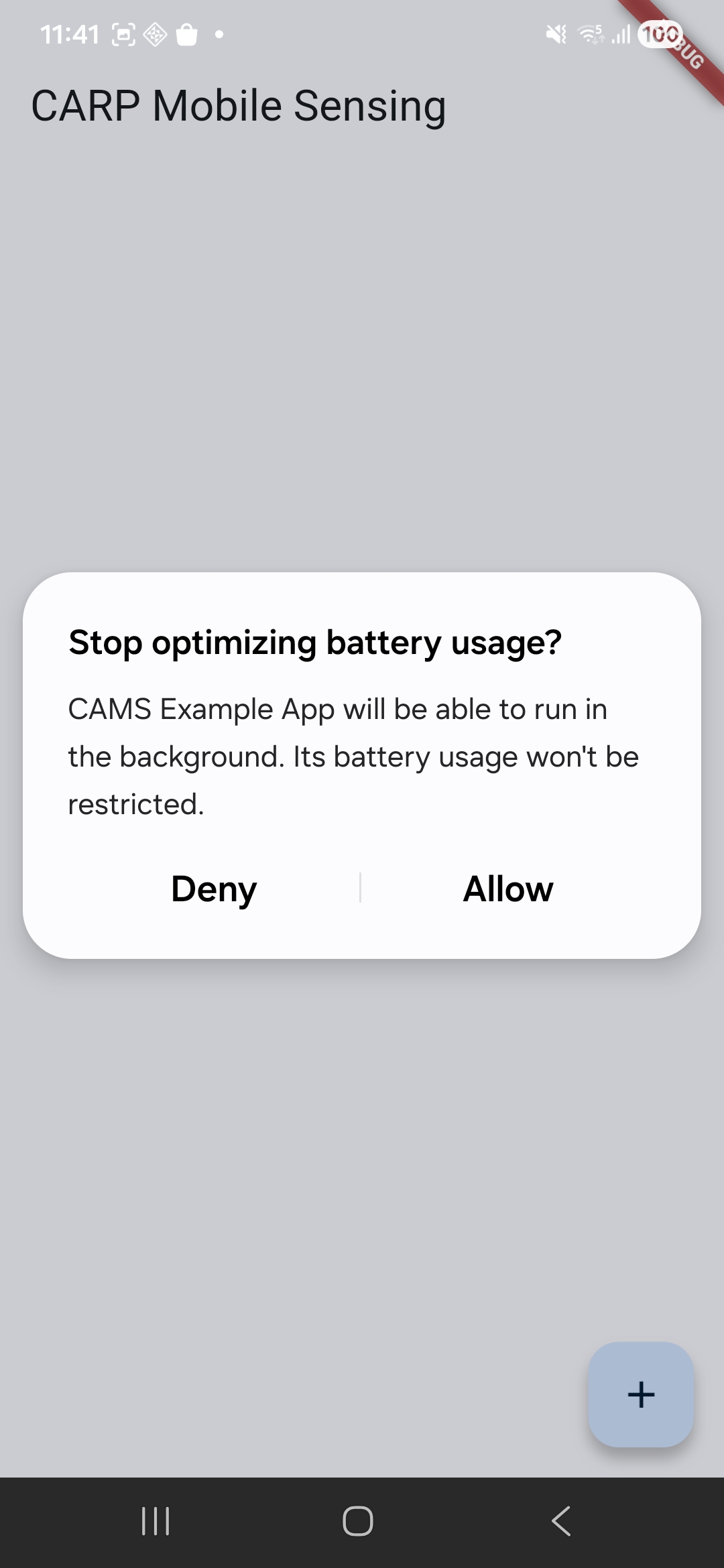
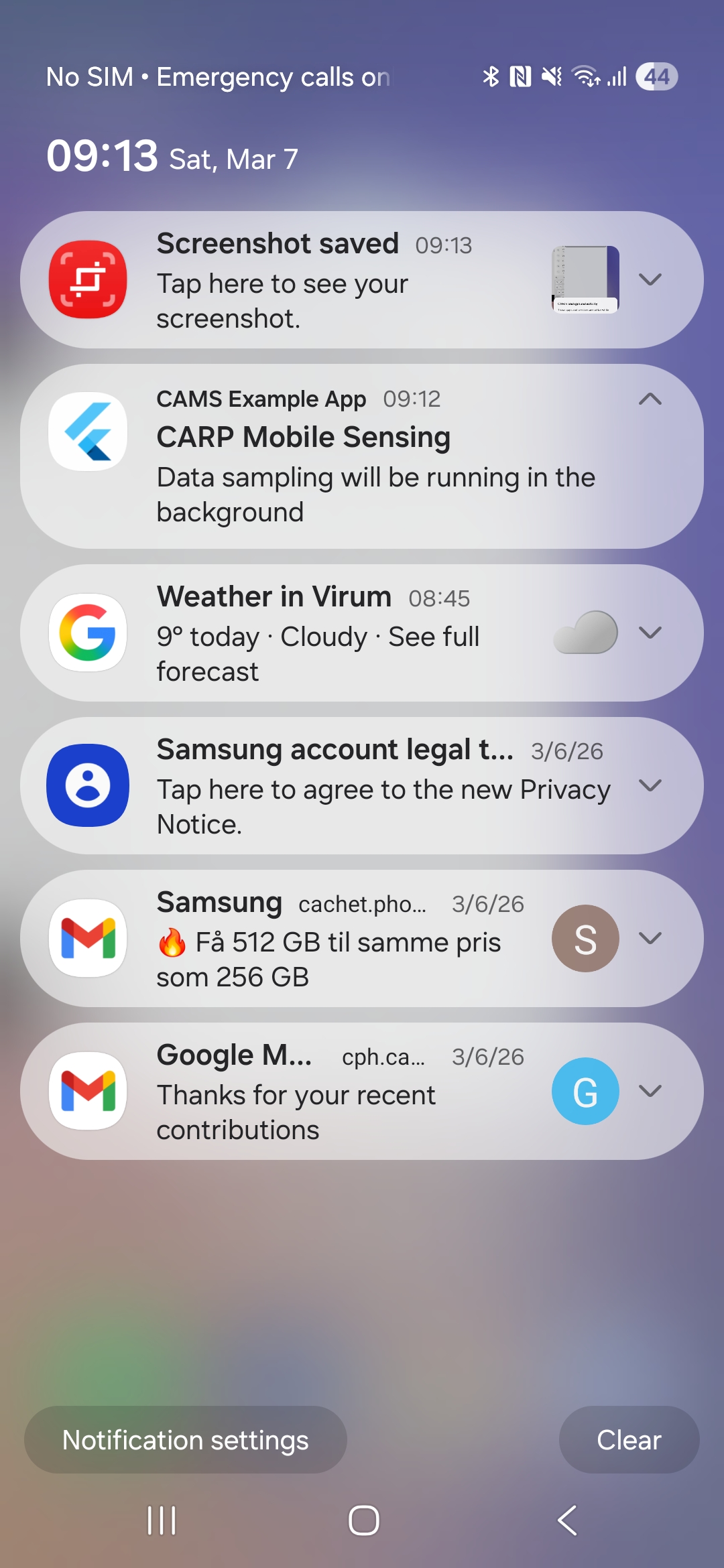
SmartPhoneClientManager().configure( enableBackgroundMode: true, backgroundNotificationTitle: 'CARP Mobile Sensing', backgroundNotificationText: 'Data sampling will be running in the background',);When background mode is enabled, the app will show this battery optimization permission popup and the notification.
Battery Optimization Permission
Background Notification
On Android version >= 9, battery management has been significantly improved. There are repeatedly reported issues with some Android devices not working in the background. Check if your device model is on dontkillmyapp list before you report new issue. This means that an app will be put to sleep when in the background. This is less useful, if the app is using CAMS for passive data collection.
The dontkillmyapp site provides suggestions for different phone vendors and OS versions. A general approach is configure settings for the battery and for the app itself.
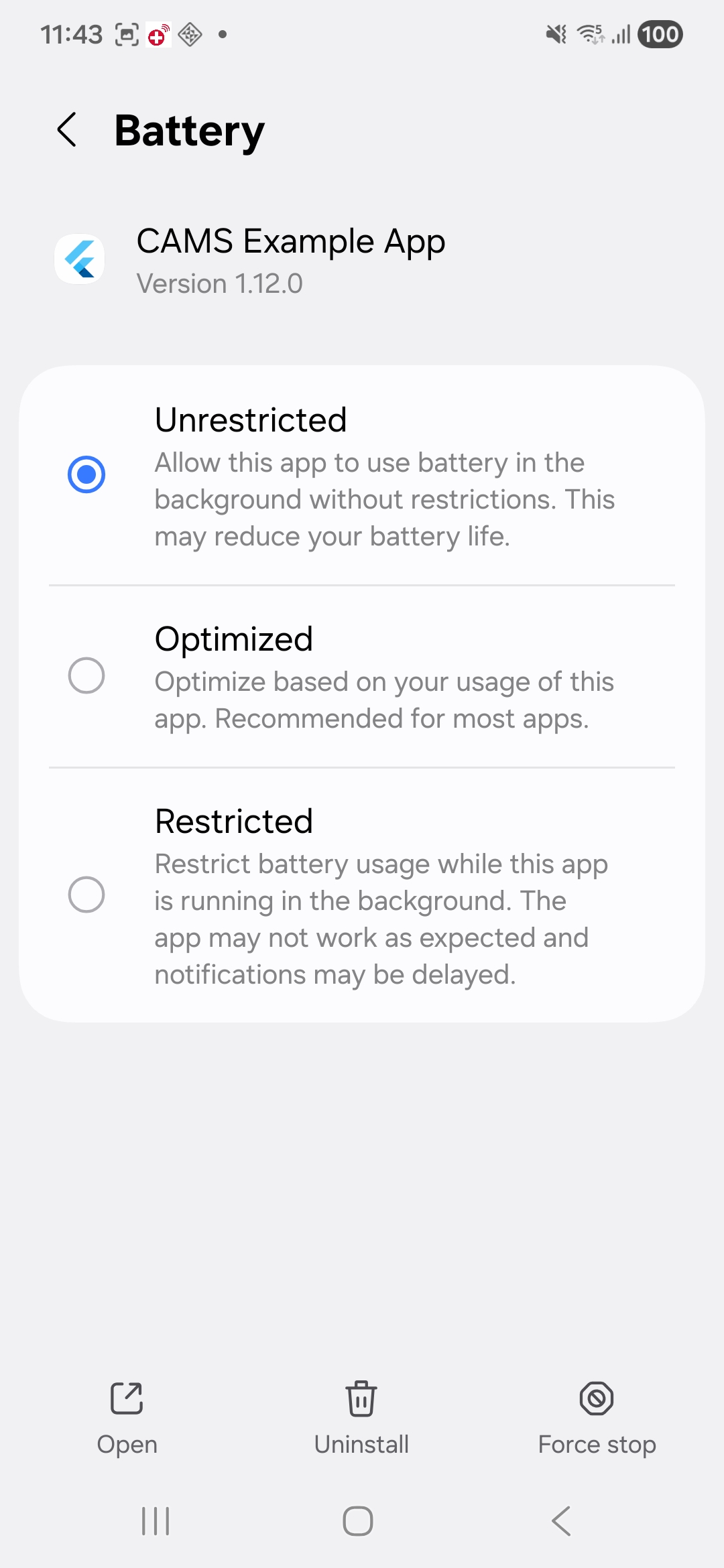
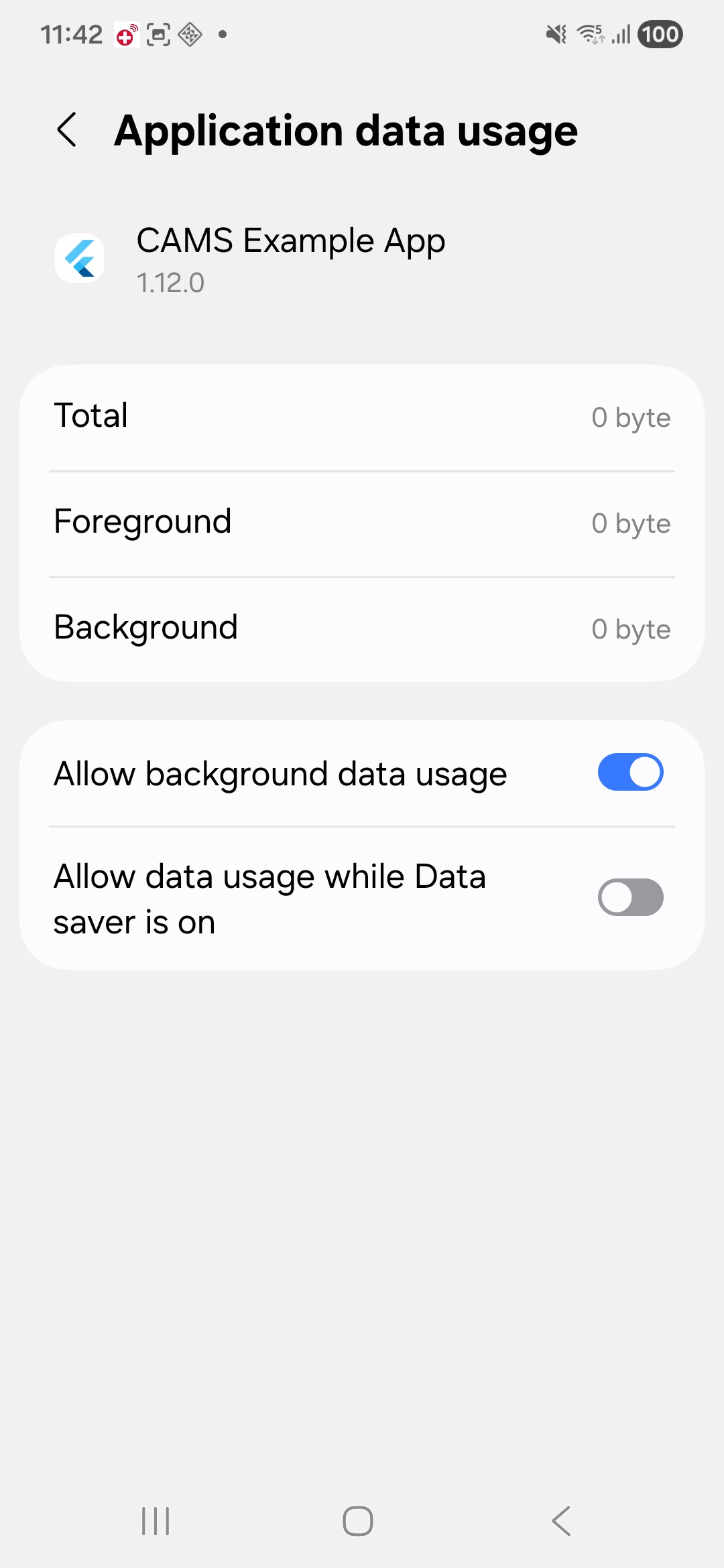
In the Android Settings, you can optimize background mode for the app by allowing urestricted battery and background data usage.
Unrestricted Battery Usage
Background Data Usage
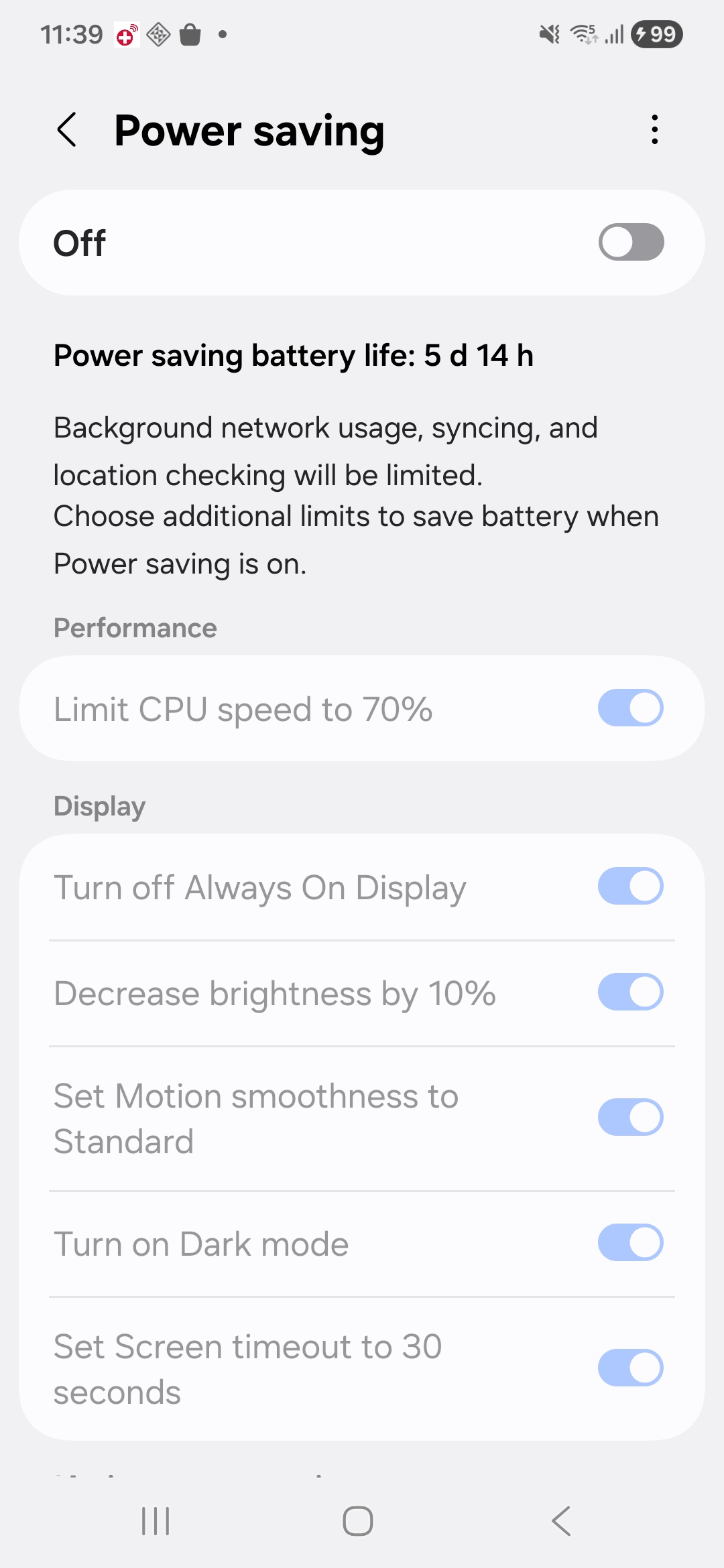
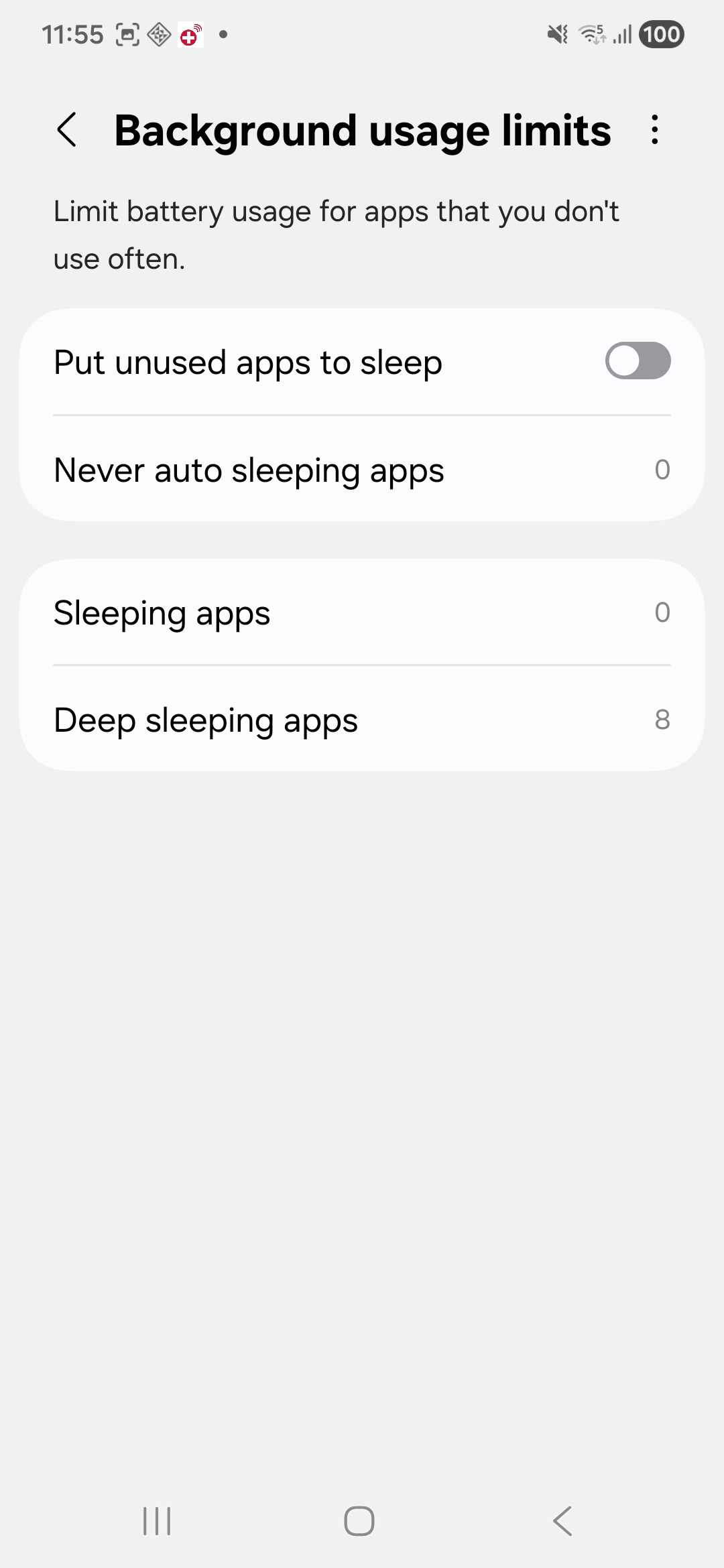
In the Android Settings, you can optimize the battery setting for background mode
Power Savings Off
Background Usage Limits Off
On iOS, the best way to keep the app running somewhat in the background is to have the app fetch location in the background or keep a BLE connection to an external device.
The carp_context_package makes use of the location plugin, which supports the collection of location “in the background”. It is important to follow the instruction of the package, including modifying the info.plist and AppDelegate.swift files. Also make sure that “Allow location tracking always” is enabled for the app on the phone.
iOS tends to aggressively kill apps (especially after iOS v. 15). There are a few things to do about this:
In Settings → Battery, ensure Low Power Mode is OFF.
In Settings → [Your app] → Background App Refresh, ensure it is ON.
If this option is greyed out, first enable it globally in Settings → General → Background App Refresh, then enable it per app.
You can also force the app to always be in the foreground by using the Guided Access feature in iOS. This feature forces the app to be the only app running in the foreground always and is hence not useful for background sensing. But it may be useful if the phone is dedicated to running an app for a specific study. For example, if a dedicated study phone is handed to a user to be used only for a specific study.
Another “hack” to keep the app running in the background is to configure it as an audio player app. Audio playing apps are kept running in the background on iOS. See the sensors app for inspiration.
As presented in this coverage study, iOS keeps the app running in the background if it samples data from a BLE device. Note, however, that this really drains the battery.
PodfileIn a new Flutter project, the iOS Podfile is auto-generated in the ios folder. To make things work, there are a few edits to this file that need to be done:
platform :ios, '12.0' (should be later than 9.3).
post_install part, you should make sure that the config.build_settings is also set to the same platform version (see here and here).ENV['SWIFT_VERSION'] = '5'target 'RUNNER' part, add the following lines use_frameworks! and use_modular_headers! (if not already added by Flutter)target 'RUNNER' part, also remove the target 'RunnerTests' part (this may cause build issues).An example of the edited Podfile would look like:
# Uncomment this line to define a global platform for your projectplatform :ios, '12.0'
# CocoaPods analytics sends network stats synchronously affecting flutter build latencyENV['COCOAPODS_DISABLE_STATS'] = 'true'ENV['SWIFT_VERSION'] = '5'
...
target 'Runner' do  use_frameworks!  use_modular_headers!
  flutter_install_all_ios_pods File.dirname(File.realpath(__FILE__))
  # target 'RunnerTests' do  # inherit! :search_paths  # endend
post_install do |installer| installer.pods_project.targets.each do |target| flutter_additional_ios_build_settings(target) target.build_configurations.each do |config| config.build_settings['IPHONEOS_DEPLOYMENT_TARGET'] = '12.0' end endendIf you want to store data locally on the phone (using the SQLiteDataManager or FileDataManager), and want to grant the user of your app (e.g. yourself during development and debugging) access to it on the phone or in a Mac Finder, add the following keys to Info.plist.
<plist version="1.0"><dict> ... <key>UIFileSharingEnabled</key> <true/> <key>LSSupportsOpeningDocumentsInPlace</key> <true/></dict></plist>Note that on iOS>=12, collection of WiFi info has been restricted – please see
App.framework compatibilityYou may get this error:
Building for iOS, but the linked and embedded framework 'App.framework' was built for iOS Simulator.or vice-versa. This is a well-known issue on iOS / XCode 11.4 for Flutter version less than v1.15.3. See the Flutter Xcode 11.4 Support page.
The default notification controller used in CAMS is FlutterLocalNotificationManager, which uses the flutter_local_notifications plugin. It supports scheduling and receiving notifications while the app is in foreground, background, or terminated, but requires platform-specific setup.
WidgetsFlutterBindingTo initialize the Flutter platform channels, you need to call WidgetsFlutterBinding.ensureInitialized() in your main() method, before creating the app. For example - this is the main method of the CAMS demo app:
void main() async {  // makes sure to have an instance of the WidgetsBinding, which is required  // to use platform channels to call the native code.  WidgetsFlutterBinding.ensureInitialized();
  await bloc.initialize();  runApp(App());}
Here is a description of What Does WidgetsFlutterBinding.ensureInitialized() do?.
When building your app, the AndroidManifest.xml files from all packages and their underlying plugins are merged.
When you want to publish your app, which uses various CARP packages and plugins, to the Google Play Store, it can be rejected because it e.g.., tries to collect SMS texts and call logs, which Google considers to be a restricted group of permissions for which you need a valid reason to access those. Unfortunately, research is not in the list of exceptions. Hence, we would like to remove collection of SMS texts and call logs while still keeping collection of calendar information (all in the carp_communication_package).
Illegal permissions can be omitted by specifying that they should not be merged from a lower level manifest. This is done by adding the following lines to the AndroidManifest.xml file of your app, which prevents the restricted permissions from being added:
<manifest xmlns:android="http://schemas.android.com/apk/res/android" xmlns:tools="http://schemas.android.com/tools">
    <uses-permission android:name="android.permission.READ_CALL_LOG" tools:node="remove"/>    <uses-permission android:name="android.permission.READ_SMS" tools:node="remove"/>    <uses-permission android:name="android.permission.SEND_SMS" tools:node="remove"/>    <uses-permission android:name="android.permission.RECEIVE_SMS" tools:node="remove"/>
    <application ...></manifest>
See also issue #183. Thanks to koenniem for this update.
CAMS uses the permission_handler plugin for handling permissions. Please see their documentation on how to configure permissions on both iOS and Android. In particular, update both Info.plist and Podfile on iOS; otherwise you may have app review issues with Apple.
If you’re experiencing any build issue, try these steps:
flutter cleanrm -rf buildrm -rf ~/.pub-cache
flutter pub get
On Android, you might also want to run ./gradlew clean. On iOS, you might want to remove the .symlink folder.
carp_mobile_sensing and run the example app on the same platform. If that works, compare your project with the example setup.example app.You may get MissingPluginException or PlatformException on plugins which are used by CAMS (like flutter_background). Even though the “pub get” and “pub upgrade” commands do get and update these transitive plugins, and the app compiles, you may still need to explicitly depend on them in you app’s pubspec.yaml file. See issue #530.